Price / serve
Cook time
Protein / serve
Calories / serve
Carbs / serve
Fat / serve
Swipe deck
My recipes
Shopping list
Weekly plan
Price watch
Find your usual products, compare recorded prices, and get an email when a weekly check finds a verified special meeting your threshold.
Price history
The latest 90 days of weekly Coles and Woolworths prices.
How Weekly Shop works
Pick recipes you actually want to eat, drop each one into a day, and get one shopping list with a Coles total, a Woolworths total, and a split shop total. In store, scan a barcode to see its 90-day price history at Coles and Woolworths, then add it to Price Watch.
Start here
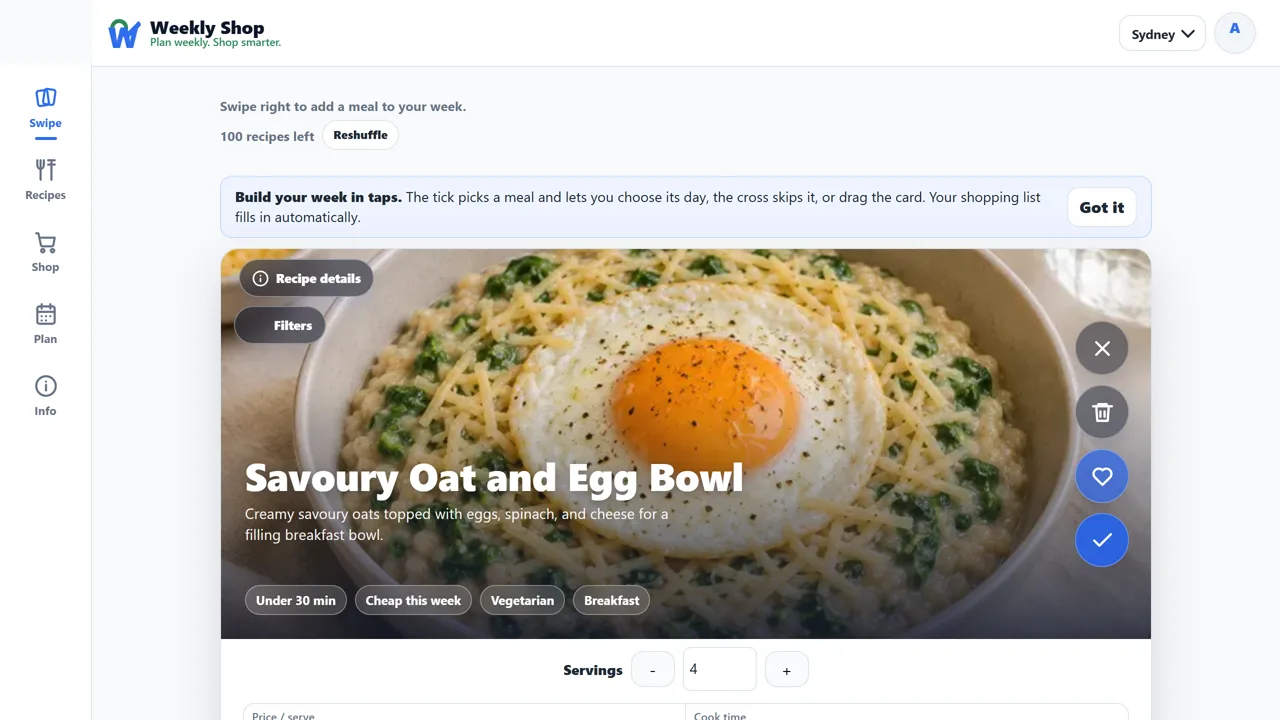
1SwipeThe tick adds the meal to the next free day and tells you which day that was. The heart saves it to favourites and plans it, the cross skips it for now, and Never show again retires it from the deck for good.
Filters narrow the deck to faster, cheaper, vegetarian, or higher-protein ideas.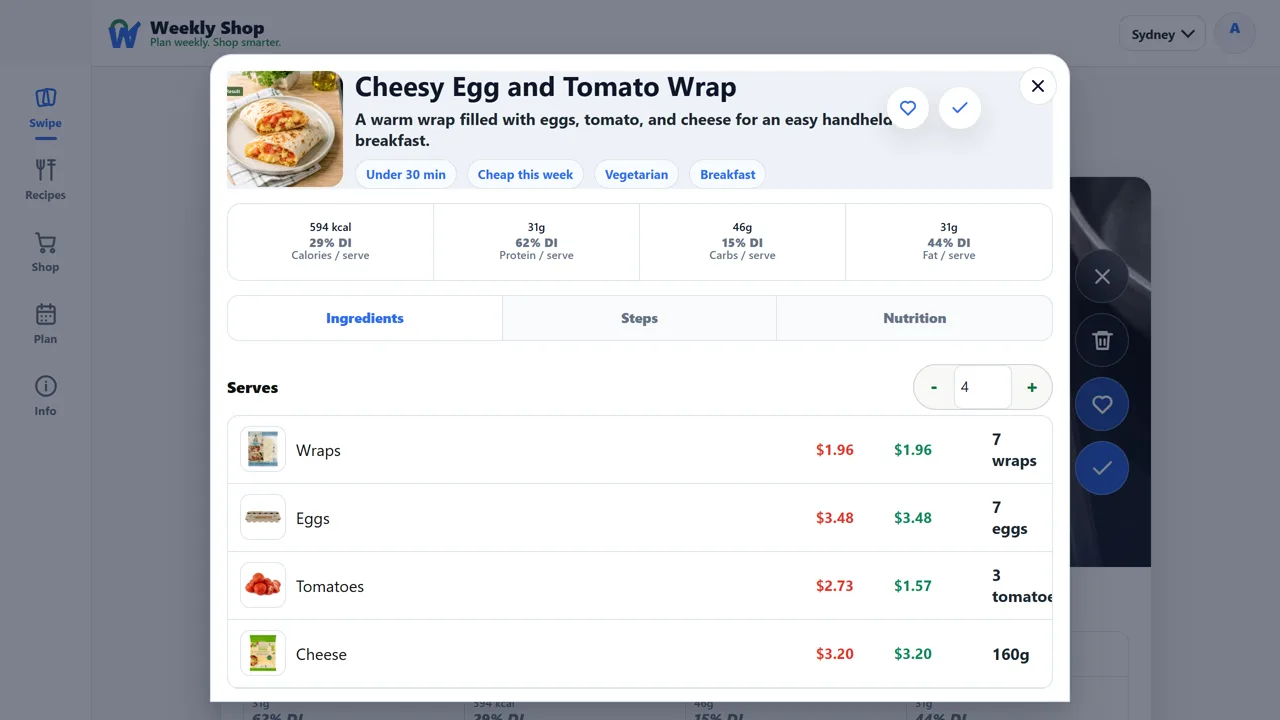 2Recipes
The whole catalogue, plus everything you have favourited. Open one for its ingredients, method, nutrition, and the actual Coles and Woolworths products each price came from.
Change the servings and the estimate follows; Add to plan puts it in the days you choose.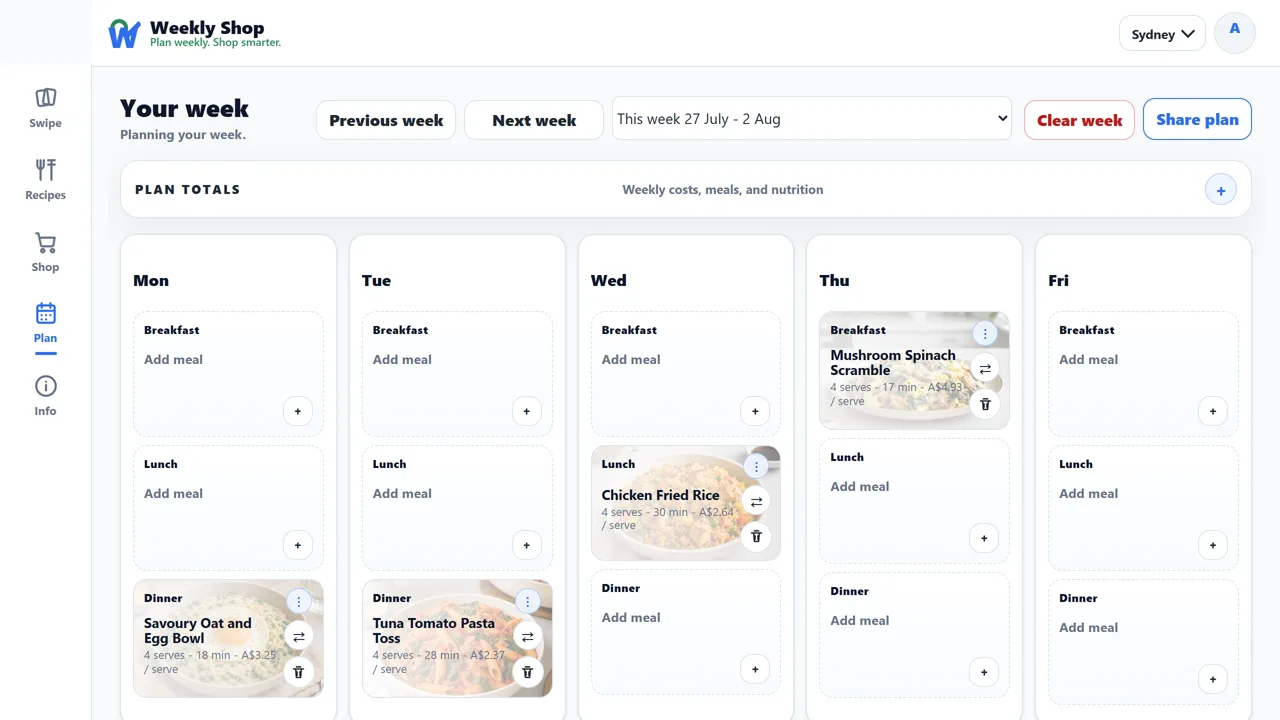 3Plan
3PlanThe week as a calendar. Drag a meal to another slot, clear a week you have changed your mind about, or step forward and back between weeks.
Share plan makes a read-only link you can send to whoever is cooking.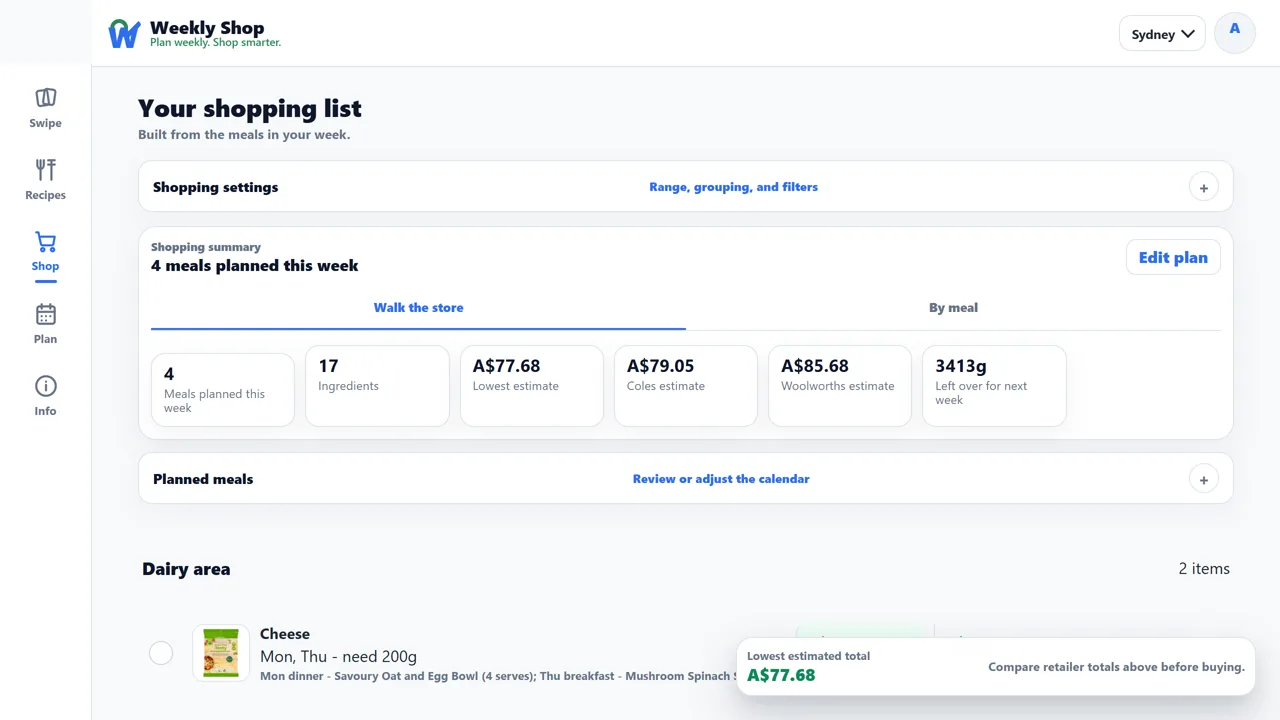 4Shop
4ShopOne list for the days you choose, with a Coles total, a Woolworths total, and a split shop total that buys each item wherever it is cheaper.
Group it by store area or by meal, tick items off as you go, or email the list to yourself.Feature zooms
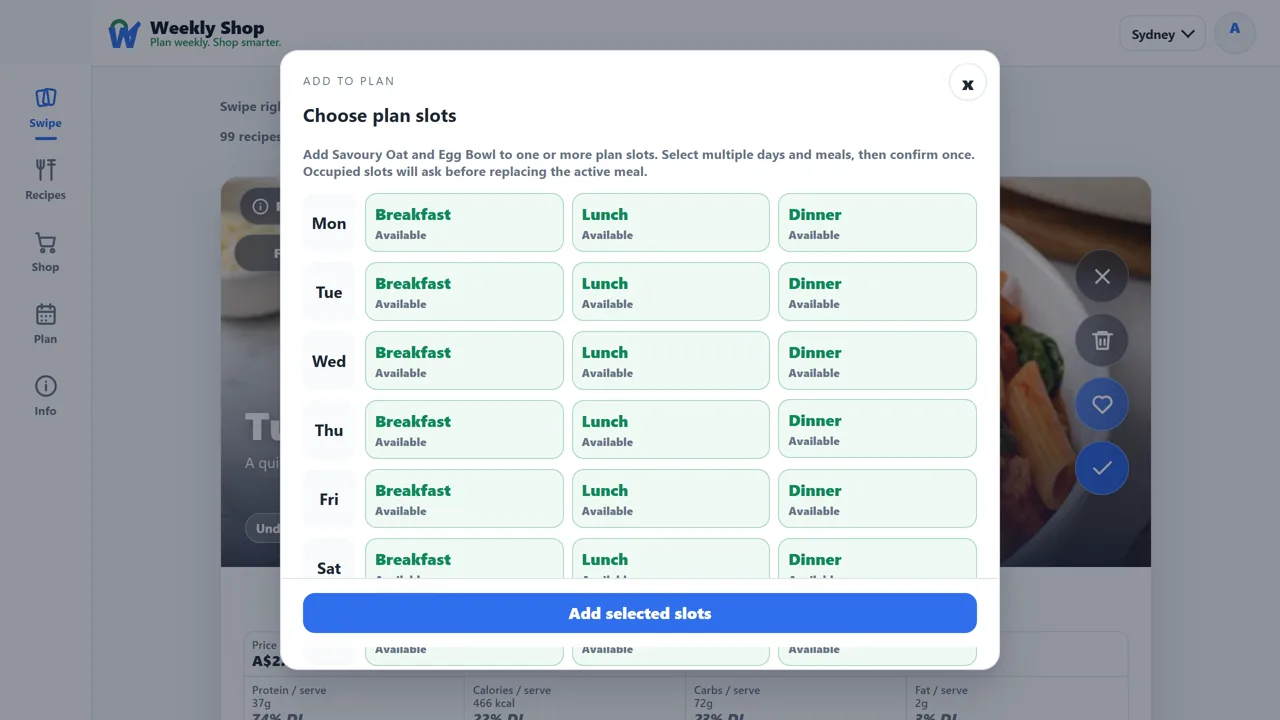
A right swipe fills the next free slot for you. To place one yourself, open the recipe and use Add to plan — choose one or more day and meal slots, and occupied slots ask before replacing the meal already there.
Every recipe estimate opens up: the ingredient rows name the Coles and Woolworths products behind it and what each one cost at the last scan, so a total you do not believe is a total you can check.
The two chain totals answer whether a single store wins the whole basket. The split shop total is what the same list costs buying each item wherever it is cheaper, which is the number worth a second stop only when the gap is.
Between shops
Video guide
Useful pages
Account
Privacy Policy
This policy explains what information we collect, why we use it, and the choices you have when using Weekly Shop.
Last updated 5 September 2026Weekly Shop helps Australian households plan meals, compare grocery prices and make shopping lists. You can use it at weeklyshop.au and contact us at [email protected].
We use your account details, saved recipes, meal plans, recipe ratings, shopping lists, household sharing activity and support messages to provide the service. We also use cookies to recognise your browser and remember your choices.
Google Sign-In is optional. If you use it, Google shares your email address, whether that address is verified, your name when available, and an identifier that lets us recognise your Google account. We keep a coded version of that identifier linked to your Weekly Shop account.
We ask for basic account information only. We do not ask to read your Gmail, Drive files, Calendar, Contacts or Photos, or to access your advertising accounts or Search Console.
Apple sign-in is optional. Apple shares an account identifier, your email address or a private relay address, and whether the address is verified. Apple shares your name only when you first give permission, so we save it for later sign-ins. We keep a coded version of the account identifier.
We use Google and Apple sign-in information to create or access your Weekly Shop account, keep it secure, prevent misuse and help with support. It also keeps your plans, recipes, lists, household and settings connected to your account.
We share information with service providers when they need it to host, secure, operate or support Weekly Shop, or send emails for us. We may also disclose information when the law requires it.
We do not sell Google or Apple account information, give it to data brokers, use it for targeted advertising or use it to train AI models.
We protect passwords and sign-in records by storing coded versions instead of the original secrets. Sign-in checks are temporary and can only be used once. We do not keep the access credentials Google or Apple sends during sign-in. Our security records use coded identifiers instead of passwords or sign-in secrets.
If you sign up with a password, you need to verify your email in the same browser where you started. Unfinished sign-ups expire after 7 days and are removed during routine cleanup.
We keep account information while your account is active, and may retain information needed for security, legal requirements or running the service. Email [email protected] to ask to see, correct or delete your information. We will delete it or remove identifying details where we can, taking those requirements into account.
Cookies are small pieces of information saved in your browser. Some are needed to sign you in, remember your plan and preferences, and keep the service secure.
Analytics is on by default. It helps us understand visits, the pages people use and shopping actions so we can improve Weekly Shop. It may include Google Analytics, and activity may be linked to your account when you sign in. Optional personalisation and advertising cookies are off unless you enable them.
We may record how you found Weekly Shop, such as a website or campaign link. That information stays in your browser tab for up to 12 hours and may be linked to an account you create during that time while analytics is on. We also count daily page visits without identifying individual visitors, including when analytics is off.
The cookie notice has a Close button and a Privacy Policy link. Close hides the notice; it does not open settings or change your saved choices.
To change optional cookies, open the Privacy Policy in the app, then choose Cookie preferences at the bottom of the page. Change the switches and choose Save preferences. You can also choose Essential only to turn all optional cookies off.
Anyone with one of your private sharing links can see the plan, shopping list or recipe collection you chose to share. The links are not listed publicly. Share them only with people you trust.
Weekly Shop's use and transfer of information received from Google APIs adheres to the Google API Services User Data Policy, including the Limited Use requirements.
Terms of Service
These terms explain what to expect from Weekly Shop and your responsibilities when using it.
Last updated 5 September 2026Weekly Shop helps you plan meals, compare grocery prices and make shopping lists. Prices and product matches are a guide. Check the price, offer, availability and product details with the retailer before you buy.
Accounts are for personal household planning. Google Sign-In and Apple sign-in are optional ways to access your account when available. Keep your password safe and use the password reset option if you need to change it.
Anyone with a private sharing link can view what you have shared. Send links only to people you trust. You can turn off active links from your account page when you no longer want to share them.
Recipes, nutrition estimates and product matches help with planning. They are not personalised medical, dietary or financial advice, or a retailer’s recommendation about what to buy.
For help with the service, your account, privacy or these terms, email [email protected].